




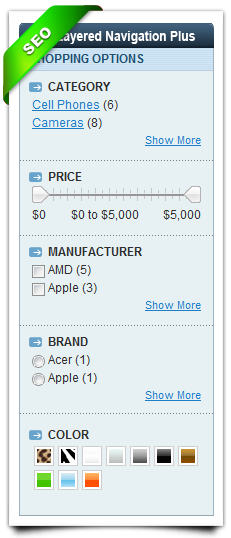
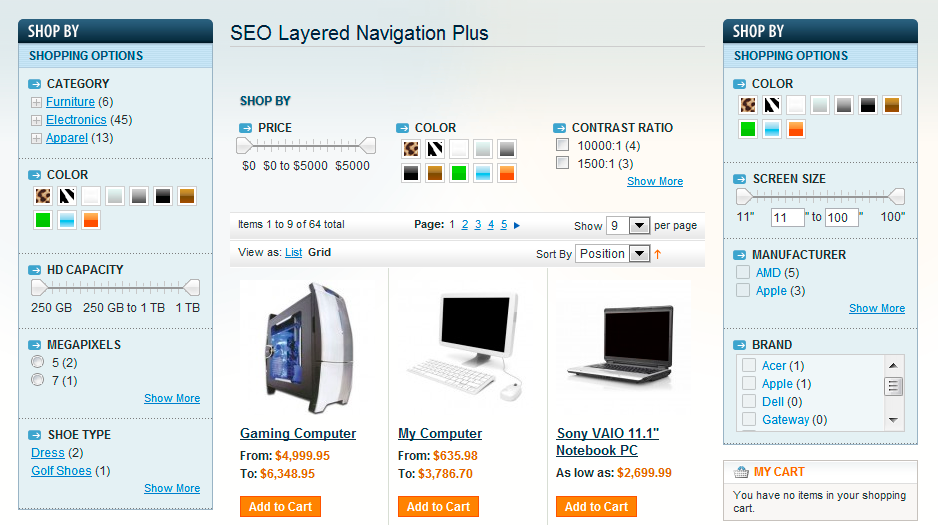
Extends Layered Navigation with fast SEO friendly AJAX, Multiple Select, Checkboxes, SEO incl. paging and sorting, Price Slider, Show More / Show Less, Radio Buttons, Drop-Down lists.
It is full package of all our Layered Navigation extensions. Not only saves you money but also allows you to use future Layered Navigation extensions for free.


Details
Check User's Guide for detailed product description, installation and updating instructions.
This extension bundles all layered navigation extensions from MANAdev.com into one easy-to-install package.
Main features
- SEO part update - shorter and very flexible url structure, canonical urls including rel=prev and rel=next on paged product catalog, redirects to the same attribute order (example.com/color-black-brown and example.com/color-brown-black - both redirects to one of them), redirect to category page when category filter applied preventing double content issue, redirects from old url structure to new (now you can change you Layered navigation safely)use attribute labels instead of attribute code, manage SEO url keys.
- SEO (Search Engine Optimization). Transforms URL links of applied filters, pages, sorting to human readable and (most important) to search engine friendly form.
- SEO (Search Engine Optimization). Control which filtered pages search engines can reach and which should not be indexed.
- SEO (Search Engine Optimization). Control page title tags content for every category or even filter applied.
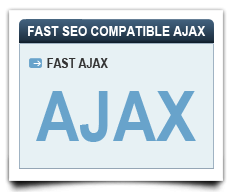
- Fast AJAX feature is even more convenient to use.
- Positioning - possibility to put filters on 3 locations at the same time - left, top and right. Possibility to have the same filter on all three positions. Possibility to control state (filters selected) for all tree positions individually.
- Responsive design ready, filters collapse to accordion type menu depending on screen size you set in pixels, check Store View 2 on our demo site.
- Different top (above products) filter templates - horizontally laid filter template, drop down menu filter template or responsive Accordion menu type filter template for mobile devices with touch screens. - choose per store view which one to use.
- Show/Hide filters for any category.
- Possibility to have different filter labels for every category.
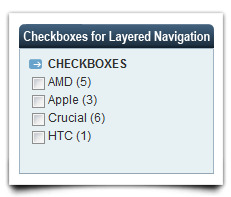
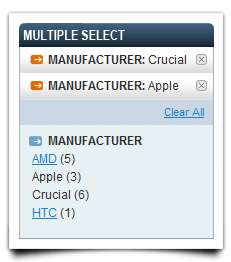
- Multiple Select with or without Checkboxes. It allows store customers to apply several layered navigation filter options while browsing catalog categories or catalog search results. Multiple selection feature works in price filter as well as in all attribute-based filters.
- Reverse mode - let customers to select options they are not interested in.
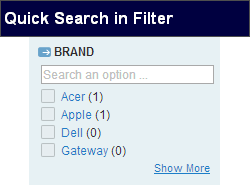
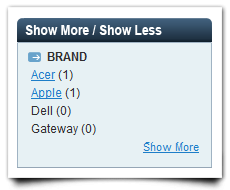
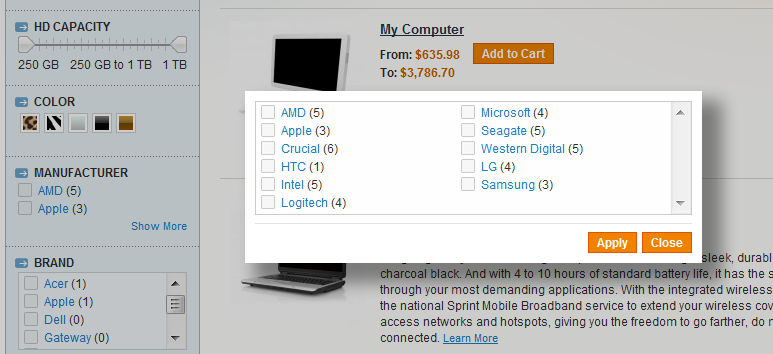
- Show More / Show Less functionality allows to make long lists of filter values more convenient to store customers by adding "Show More" and "Show Less" actions to such filters.There are 3 types for it - expand/collapse list, scroll list and popup window (for very long lists of attributes).
- Filter option quick search box
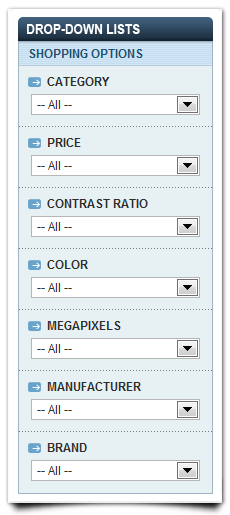
- Drop-Down lists for long attribute lists
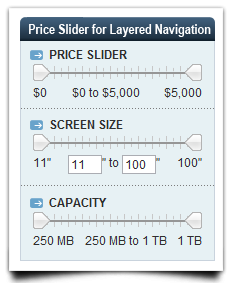
- Price Slider - slider for attributes of type price. Slider for custom Price type attributes like weight, width, screen size, etc. Round units if you need - 100cm to 1m, 1024MB to 1 TB, etc. Enable additional inputs (text boxes) for manual value entering. Possibility to slide only through existing values. Few slider styles.
- Min/Max Slider allows to combine 2 price type attributes in one slider.
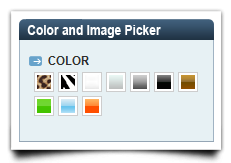
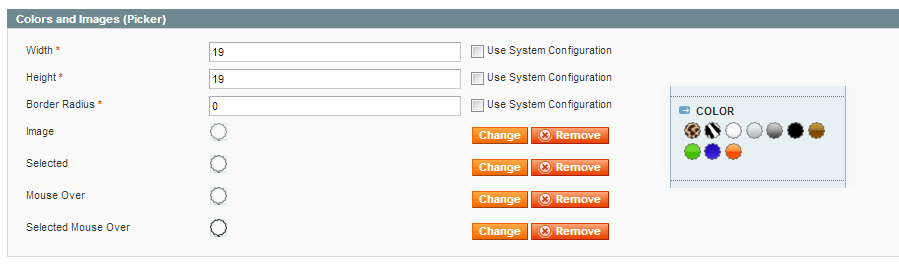
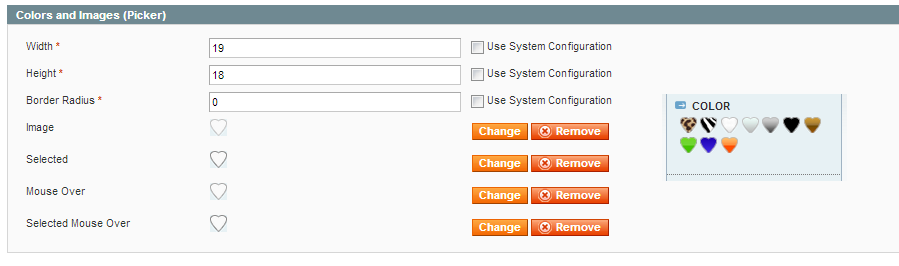
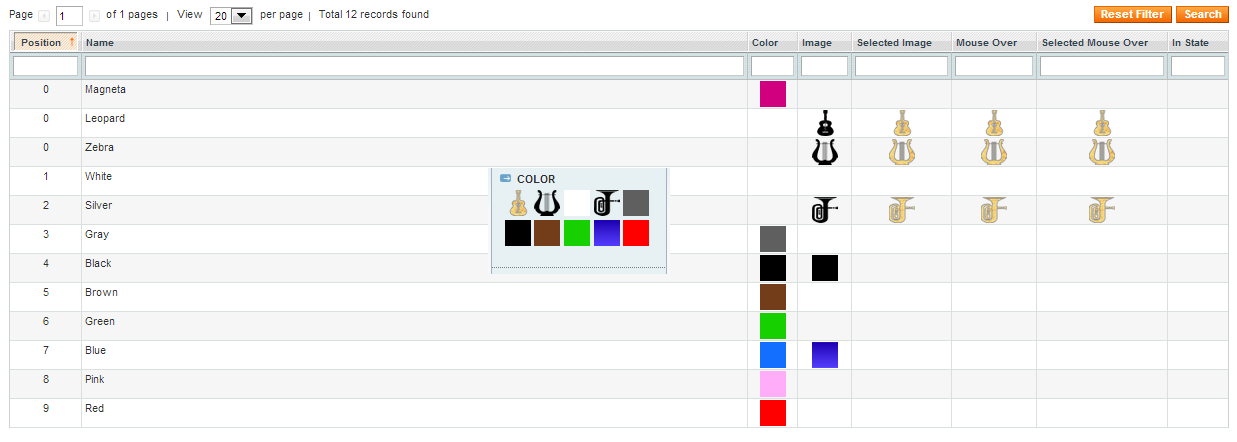
- Color and image picker lets you assign color code and/or image, set size, mouse over, select state images etc. to any attribute value individually. Horizontal and vertical layouts.
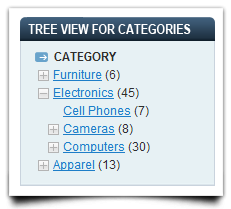
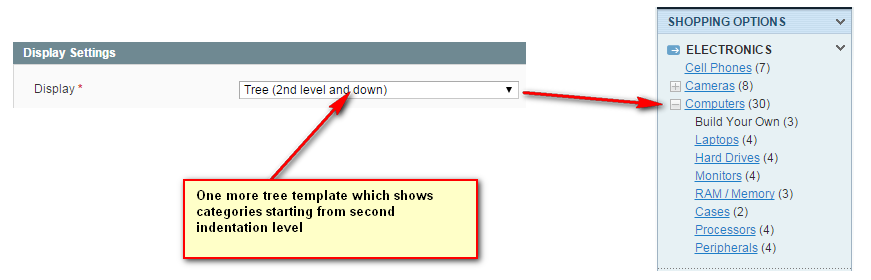
- Tree view of categories.
- NEW! Additional template: tree view for second level categories and deeper.
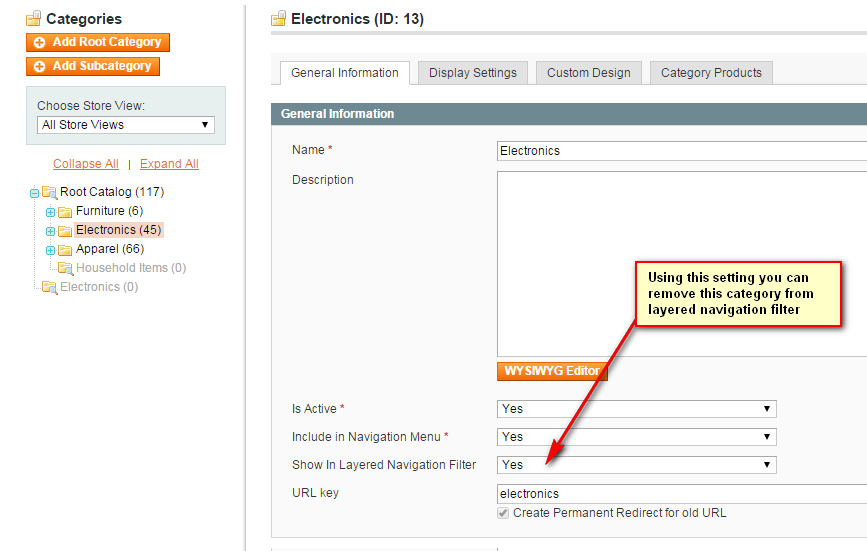
- NEW! Possibility to remove category from category filter.
- Show or hide separate categories block on categories pages.
- Clear button for every filter individually
- Expand/collapse filters
- Show attribute groups
- Help tooltips near filter name for filter label.
- Session tracking, remembers selected filters on Back button.
- You can use layered navigation on home page or any other CMS page..
- Full Magento Enterprise Edition SOLR support.
- Standard (one from many) Magento Layered Navigation functionality with or without radio buttons.
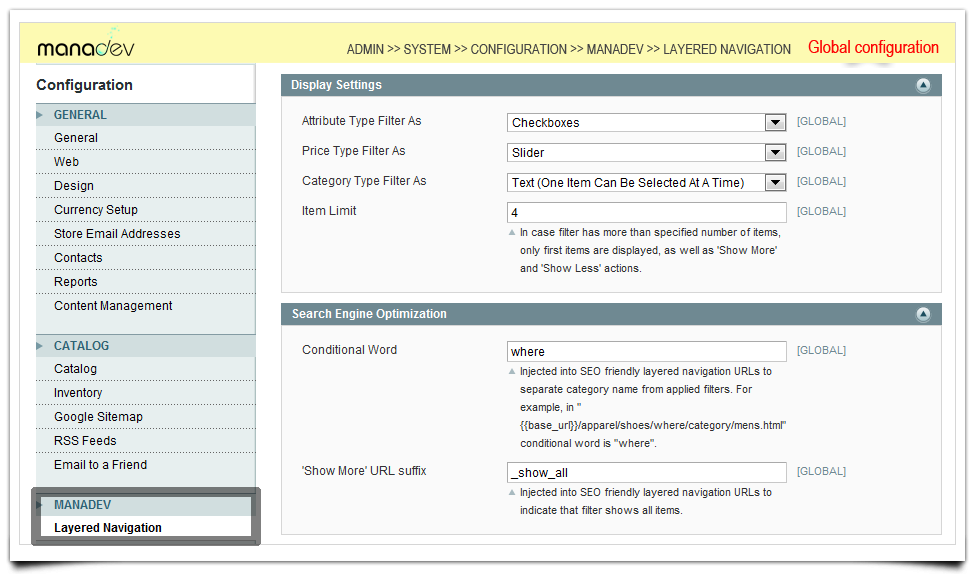
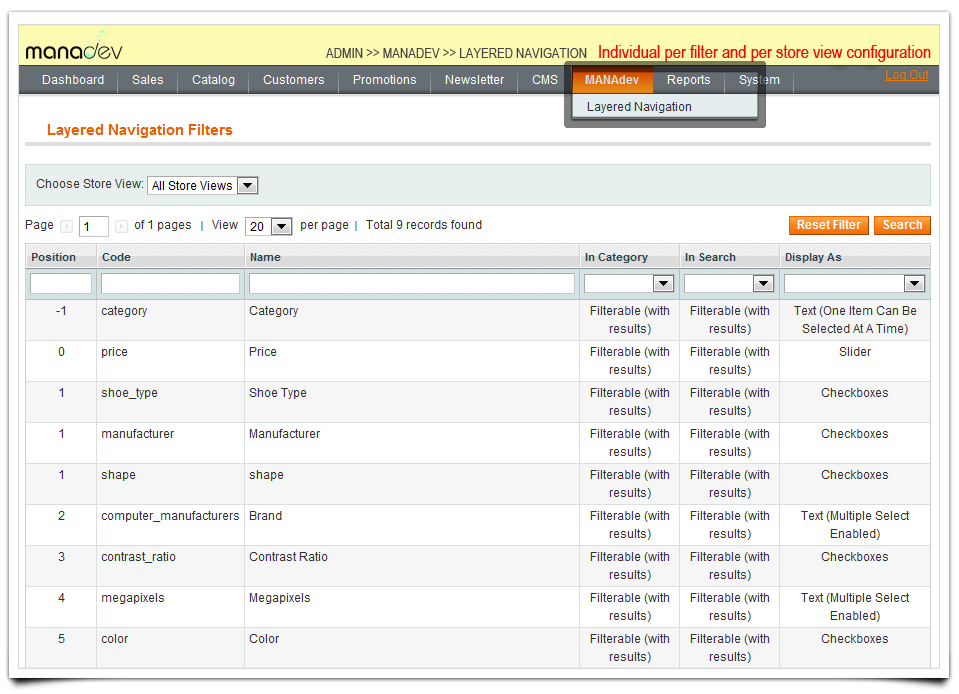
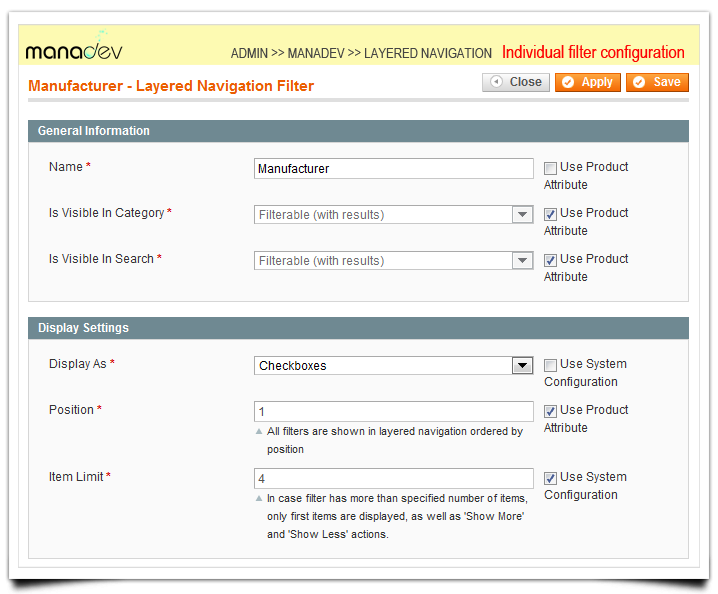
- Customize for each filter individually from Admin Panel
- Customize for each Store View individually from Admin Panel
All of these features can be configured globally for the whole Magento installation and can be further tailored for each individual filter, for each store view.
Other features
- No core code changes
- Easy installation
- 100% Open Source
- Custom design-ready
- Localization-ready
- Multistore ready
License is for one Magento installation and as many testing/development environments as you need
This extension is compatible with the Magento version 1.4.2 and later stable versions.
If you have any questions feel free to contact us





Customer Reviews
Write Your Own Review
Im impressed
Best of the best layered navigation for M1
Very happy, great extension
Support was also really quick to answer my questions, recommended.
Very good for our SEO
Really good and effective extension, highly recommended to boost sales
Thanks again guys.
Amazing
The layered navigation extension is everything I was looking for and more! It allows me to fully configure each aspect of the layered navigation block so that I can have it exactly how I want it, which is crucial when you have a great number of products in your store. I'd fully recommend this extension to anyone who needs a high-quality yet simple solution for layered navigation. The support has been incredible too. My theme has a few functions which were conflicting with the extension, but Monika jumped right in and fixed the issue for me. The SEO Layered Navigation Plus extension is now working on my site and looks great!
Impressed with the response time
I had an issue with ff and ie and sent the developer an email at the end of the day. When I got to work the next day the problems were fixed. I am very impressed with the response time; It is always nice when things get fixed while you sleep.
Thanks again!!!!
Go blind eyes with Manadev :)
Module works perfectly
Thanks again !
Great support!
Works just great!
Perfect extension and great support
A happy buyer from the Netherlands
Excellent extension
It works perfect out of the box and all the functions are working as described.
Very good extension if your site navigation is based in attributes and you want to improve the user experience.
Goede plugin en voor iedereen aan te raden !
Goede plugin en voor iedereen aan te raden !
Excellent product and support
The extension functions perfectly, and extremely SEO friendly, which were of our main requirements.
Great extension and perfect customer support
After simple installation there appeared some issues with other 3rd party extensions.
I contacted the support several times and I was really impressed, that within minutes they sent me the solution.
This is how extensions have to be:
Excellent with perfect support!!!
Thank you
Manadev is awesome
These guys also provide amazing support. Definitely the best investment I've made. Had no problem integrating the extension with the theme.
Thank you for excellent extensions and customer care !
Great Extension
I can only recommend
Thank you for this extension!
Perfect Solution
This was the perfect solution and so many options and features that make your layered nav work for pretty much any option.
Had a couple of minor requests from their support, they responded quickly with easy fixes.
One of the best extensions we've purchased in a long time.
Excellent product - The best layered navigation SEO - Amazing Support!
It's a MUST for store owners who want to increase conversion rates.
No one wants to spend too much time to find what they want. This extension will help you convert visitors to customers which in turn will boost your sales.
The team behind the extension is probably the best magento certified developers out there, who will simply solve any problem - response time is less than 1 hour. In addition, they are professional in everything they doing, while maintaining a friendly tone.
Excellent support, excellent extension
Outstanding Service and Products
I would highly recommend this extension and all others from this company.
DefianceSports
The responsive design was a requirement for us, so this also took care of that need.
Monika with the support team is amazing and has helped us solve all the issues we have had so far.
Take my advice, it's worth spending the money to get the paid version. It's for sure a great value add for the cost to any ecom site.
Best extension of it's kind
The best of Ajax SEO Layered Navigation
- Excellent support (5-Star)
Excellent module and fantastic support
I had a problem when installing - theme was not done correctly - but they've fixed it for me in under one hour free of charge. Amazing!
Otherwise the extension has loads of configuration options so that you can make it work as you want. It' actually the first extension that i didn't need to modify to customize.
I'd highly recommend MANAdev!
It is Worth every penny.
http://www.luxrys.com/
Easy install and it works great!
Easy install and it works great!
http://www.voedingssupplementennederland.nl/